An Xnapper alternative for Mac that also records the screen
Quick answer: Screen2Shot is an Xnapper alternative for Mac when you need screenshots and screen recordings in one app. Xnapper is the better pick for polished screenshot backgrounds and automatic redaction; it costs 29.99 USD once for 1 Mac with a year of updates. Screen2Shot PRO Lifetime is 79.99 USD once from the website, with updates included, and adds recording with auto zoom.
Two different jobs
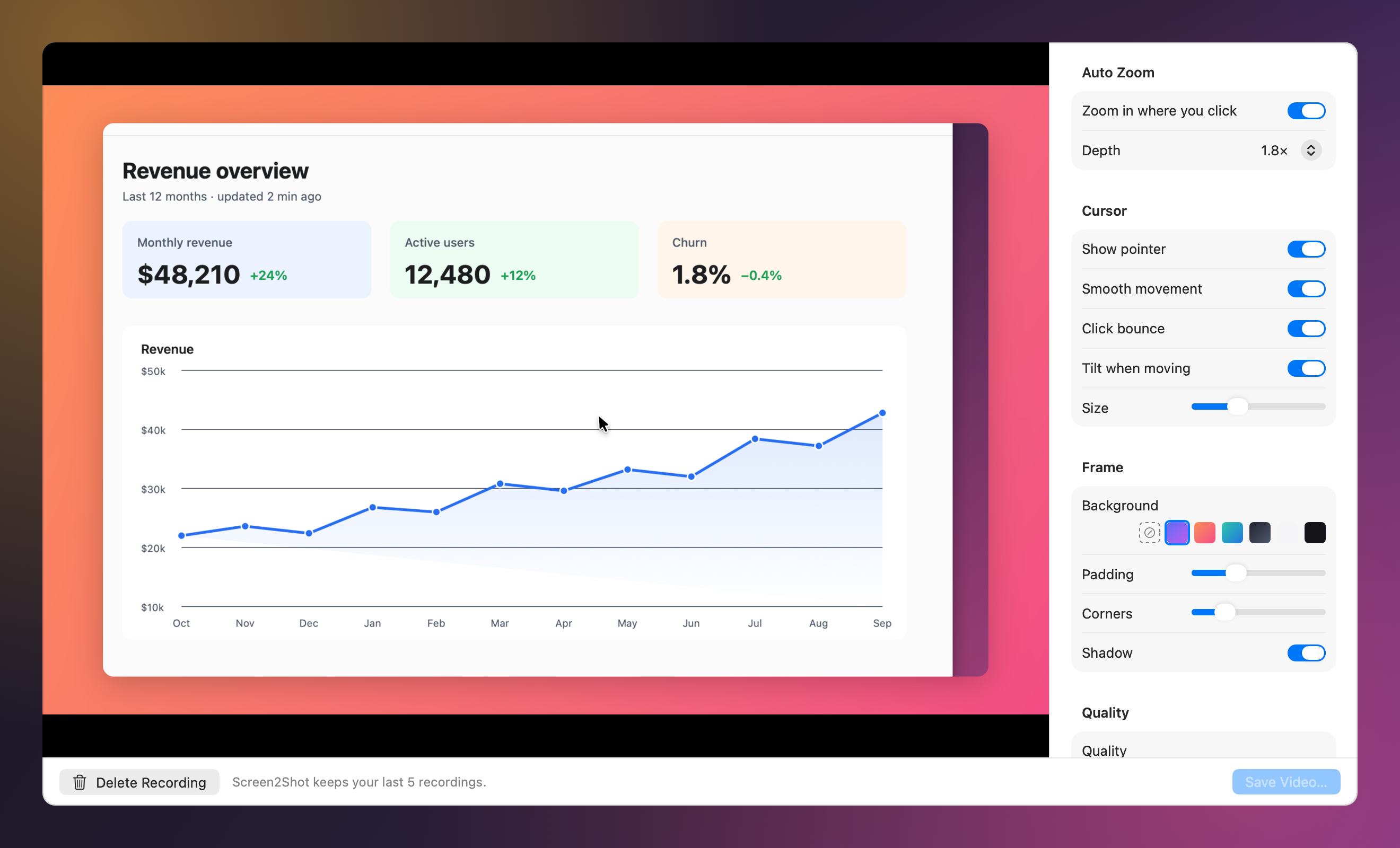
Xnapper and Screen2Shot overlap on the capture and part ways after it. Xnapper’s job is to make a screenshot look finished: it picks a background, balances the image and hides emails, card numbers and API keys it finds. Screen2Shot’s job is capture, markup and screen recording: drag an area, draw on it, copy it, or record the screen and let Studio zoom in where you clicked.
Xnapper vs Screen2Shot
| Feature | Xnapper | Screen2Shot |
|---|---|---|
| Price | Free with a watermark; Basic 29.99 USD (1 Mac), Personal 54.99 USD (2 Macs), Standard 79.99 USD (3 Macs), one year of updates; Team 5 USD per device a month | Free, with a thin Screen2Shot strip at the bottom of free exports; PRO 5.99 USD a month or 79.99 USD once from the website, updates included |
| Area screenshot | ✅ | ✅ ⇧⌘9, on any display |
| Automatic backgrounds for screenshots | ✅ | ❌ (backgrounds are for recordings) |
| Automatic redaction | ✅ emails, cards, IPs, keys | ❌ Pixelate by hand (PRO) |
| Text recognition | ✅ on device | ✅ PRO Copy Text and QR codes, on device |
| Arrows and shapes | ✅ | ✅ pen, marker, arrow in four styles, rectangle, text, numbered steps (PRO) |
| Screen recording | not listed on its site | ✅ free up to 1080p, up to 4K with PRO |
| Auto zoom, cursor effects, frame for video | ❌ | ✅ PRO Studio |
| Pin a screenshot to the screen | not listed on its site | ✅ PRO |
| Updates | one year included, renewal at 40% off | included in PRO Lifetime |
Checked on 2026-09-30. Sources below.
What it costs over three years
- Xnapper Basic: 29.99 USD, then an optional renewal at 40% off each year for updates; the app keeps working without renewal.
- Screen2Shot PRO Lifetime: 79.99 USD once from the website, with every update and no renewal; active on 1 Mac at a time, with a 30-day refund.
- For comparison: a Screen Studio yearly plan is 108 USD a year, 324 USD over three years, for recording only.
If you only need pretty screenshots, Xnapper Basic costs less. If you also record the screen, one Screen2Shot PRO Lifetime covers both.
Who should pick which
- Pick Xnapper for social posts and docs where every screenshot gets a background, and for automatic redaction.
- Pick Screen2Shot if you capture and mark up many screenshots a day and record demos or bug reports with auto zoom.
- Use both if you want Xnapper’s backgrounds on a few hero images and Screen2Shot for everyday capture and recording.
How to switch
- Free Xnapper’s shortcut if it uses the one you want.
- Open Screen2Shot and grant Screen Recording permission when macOS asks.
- Press ⇧⌘9 for a screenshot or ⌥⇧⌘9 to record the screen.
Prices are on the pricing page.
Other Xnapper alternatives for Mac
- CleanShot X: capture, backgrounds for screenshots, recording and cloud; Basic 35 USD once with a year of updates.
- Screen Studio: polished recordings with editable zooms; 108 USD a year, no lifetime licence.
- Shottr: fast capture with scrolling screenshots and text recognition.